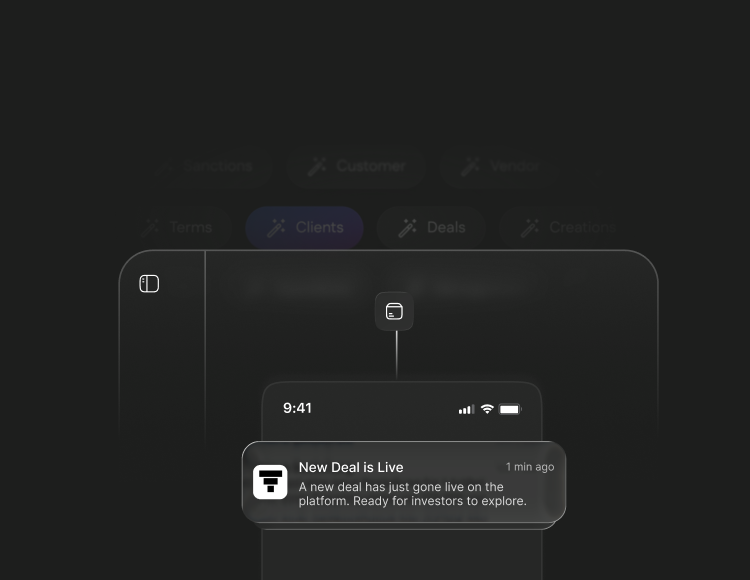
Building an internal operating system for client & inventory onboarding.
About the company
Tap Invest is a marketplace for fixed-income investment options for HNIs and UHNIs, offering products across Invoice Discounting, Asset Leasing, Bonds, Fixed Deposits, and Fractional Real Estates.
Tap Invest is further divided into 2 verticals. Tap Invest serves retail investors who invest in the deals available on the platform. On the other hand, Tap Capital is the B2B vertical that gives companies a platform to raise operational debt. All the deals on Tap Invest come from Tap Capital.
For this case study, I’ve focused on the Company (we used to call them Clients) onboarding on our platform and uploading/updating their inventories or documents.
Problem Brief
At the time when I made this project, Tap Invest had recently raised their Pre-Seed round and they wanted to scale their platform — but we were currently dealing with inefficiency.
We had the task to improve the efficiency of Client onboarding and Inventory Management details and bring quality-of-life changes through the process.
The Five Core Problems
| Problem | What was happening | Design challenge |
|---|---|---|
| Decentralized information | We captured all the information in worksheets such as Word/Excel/Docs files or spreadsheets, and we stored documents in Google Drive. | How might we make the whole process centralized and efficient for the team to work? |
| Mapping and Updating | All the documents required updates on a monthly or yearly basis. This made it difficult for the team to retrieve and update documents across the platform. | How might we make the process of updating less tedious for the team? |
| Human error | The manual process demanded constant concentration. GST mismatches, invoice value errors, and wrong document links were common — and costly downstream. | How might we minimize and eliminate human error? |
| Learning Curve | The current method was lengthy and had a steep learning curve, which took time for new joiners to learn. | How might we make the tool easy to learn and not overwhelming for the existing team and new joiners? |
| Tracking and transparency | Management had no way to see clients onboarding progress without asking the team. This approach was slow and disruptive for the analytics team. | How might we give management a handy, self-serve way to monitor onboarding and inventory progress? |
Baseline & Goals
Baseline
Before designing anything, I wanted to understand the working constraints to set a baseline. This helps set up a realistic target for our product. We sat with the team and audited their actual output — these were the results:
- 2–3 clients onboarded per week. The business needed 6–8/week to keep enough deals listed in the investor application.
- 6–7 out of 10 client sheets we reviewed had missing or incorrectly filled data — mostly because Sales rushed to move on to the next client.
- Uploading ~50 invoices took 2–3 hours of matching PDFs to rows in Sheets.
- A new Analyst needed 2–3 days of sessions to learn the process well enough to complete it independently.
- Management had zero self-serve visibility. Every progress check on clients or inventory meant asking the team directly — interrupting Analysts and still getting only a partial, point-in-time answer.
Goals
- Reduce TAT: Cut inventory upload/update time by at least 50%.
- Increase capacity: Scale onboarding from 2–3 to 6–8 clients/week.
- Improve data quality: Stop incomplete or incorrect client data from silently entering the system.
- Drive adoption: Make the workflow simple enough that new Analysts learn it quickly — and the existing team actually wants to switch.
- Give management visibility: Let leadership monitor client onboarding and inventory progress at a glance. No more asking the team for status updates.
These became the benchmarks for every design decision that followed.
Solution
One goal was clear — to build a centralized module under Roots which helps us to log who made changes, what changes were made, and manage access.
Client List & Client Details Page
Problem: Adoption is essential for ongoing operations, so building a product that’s easy for everyone to use was one of the main challenges. Designing a dashboard that the team was already familiar with was a key part of making the product intuitive.
Client Page: The client list is the main view in the Clients tab. It is organized by company. The Analyst team already worked this way — one sheet per company, with separate tabs for each dataset. So I used the same structure to make it easier to understand and faster to learn.
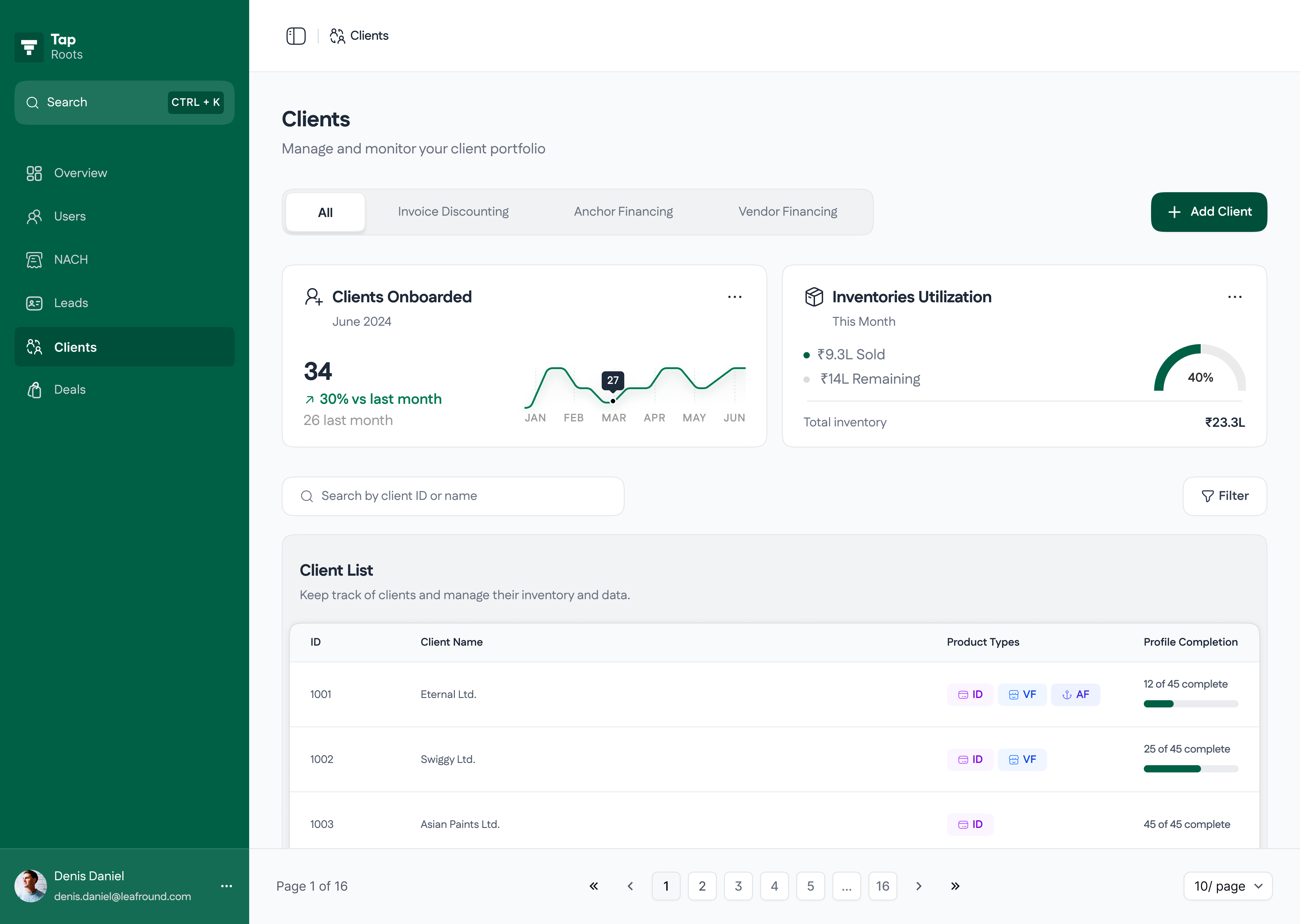
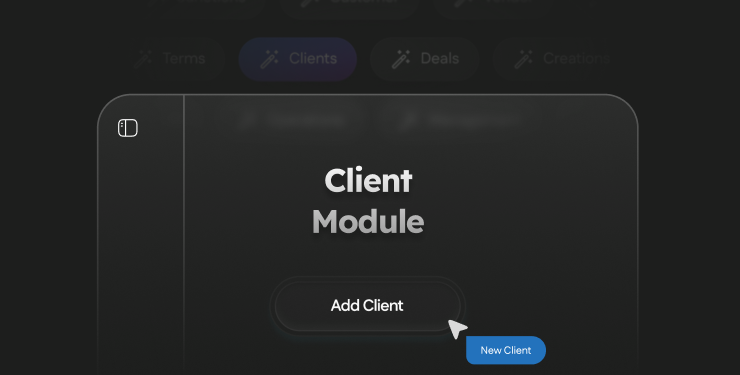
Product filter & Add Client

If the module is organized at the company level, why is there a product tab (All, Invoice Discounting, …) at the top left?
I added this based on the team’s optimal workflow which I observed. Most of the inventory uploads are for invoice discounting, so setting it as default reduces friction.
KPI cards

This fixed the management visibility problem. Leaders can quickly see onboarding progress and available inventory in one place, without asking the team. It also helps the team catch missing inventory early.
Client List
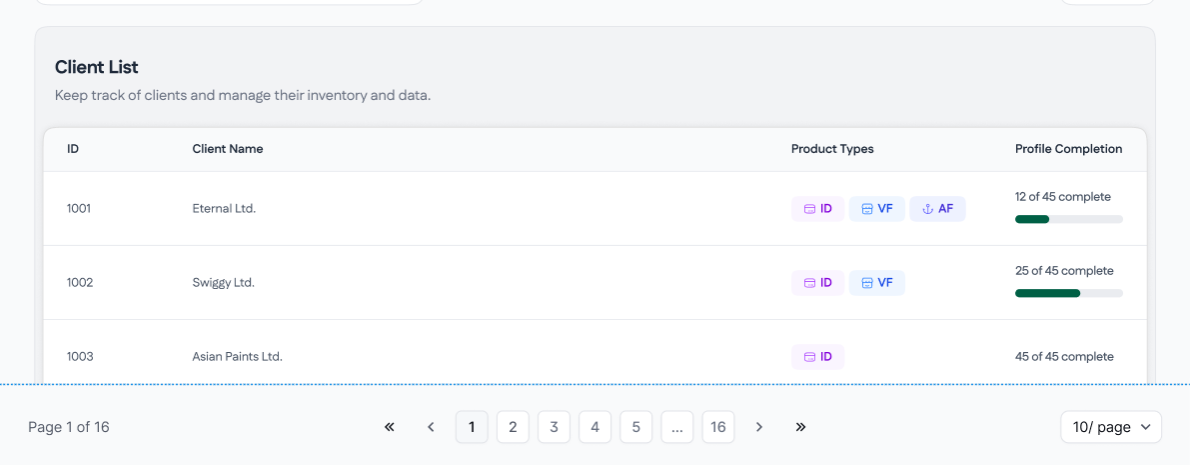
I added profile completion as a key metric. Missing data was one of our biggest and most common problems, so showing the gaps directly in the client list helped the team fix them faster. Management also requested an important rule: you cannot create a deal until the profile is complete. This rule makes sure the system stops incomplete profiles, instead of relying on people to remember.
Client Details Page
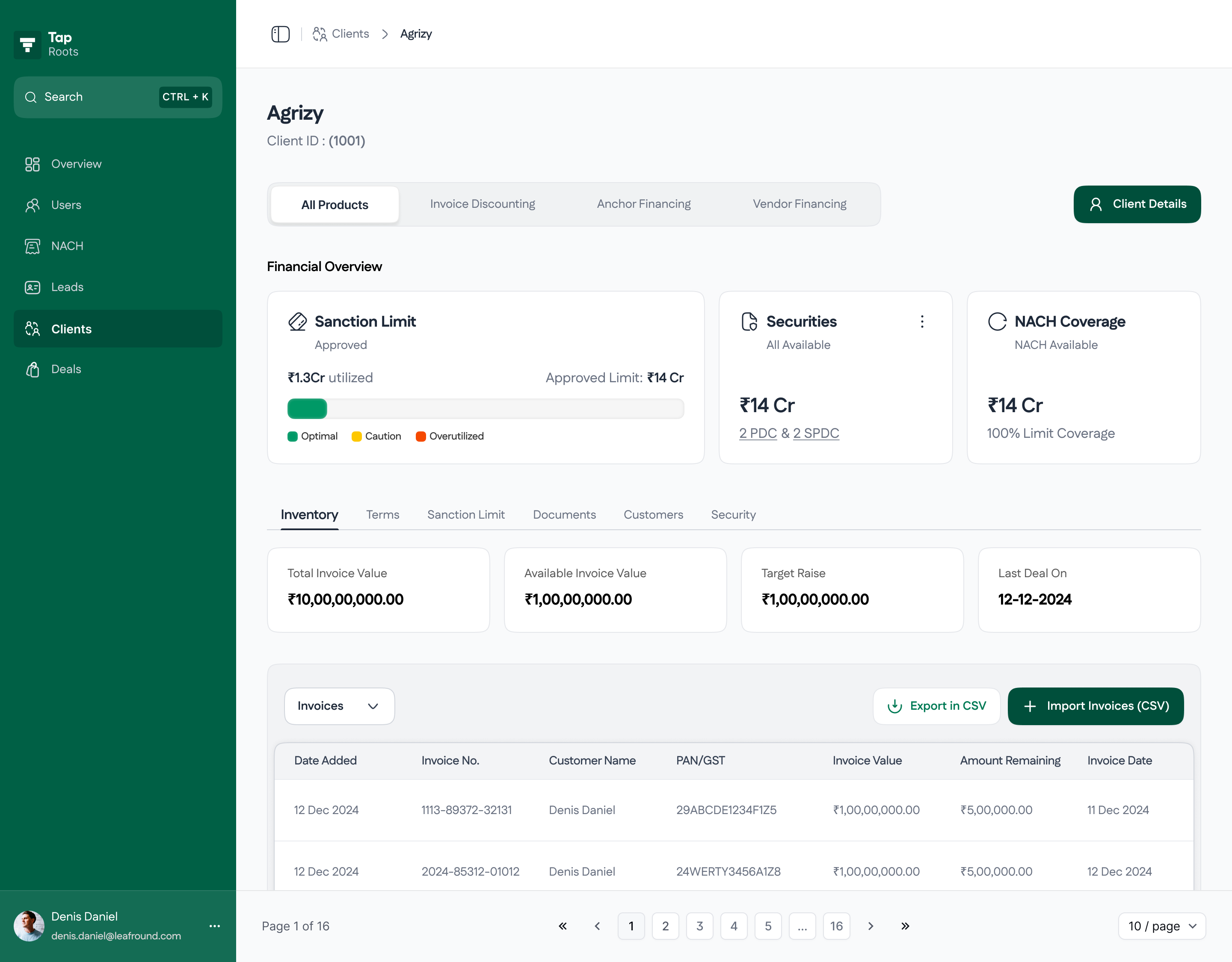
When you open a client, you see a page that looks like the client list. It has product filters, KPI cards, and tabs, so the team does not need to learn a new layout. Each section helps move the client toward being ready for a deal.
The financial overview KPIs give the team a quick read on the client’s financial health, utilization, and security coverage before making a deal.


Tabs separate Inventory, Terms, Sanction Limit, Documents, Customer, and Security. This keeps a lot of client data easy to browse. Everything that was spread across Sheets and Drive is now in one place. The Inventory tab also has quick actions to upload, update, and export.
Add Client Flow
Problem: Sales filled a long Google Form. Then analysts typed the same information again into their onboarding sheets. Because of this, missing or wrong details often led to many follow-ups with Sales, sometimes days later. In some cases, the client was already onboarded by then.
Sales was in a hurry to move to the next client, so they sometimes skipped important fields. The issues showed up only when the missing information was needed. This repeated manual work meant we could onboard only 2–3 clients per week, even though the business needed 6–8.
Solution: We decided to keep the Google Form because Sales already knew how to use it. Changing it would have made adoption harder. Instead, we improved what happened after the form was submitted.
- The Sales lead marks which client entries are fully filled.
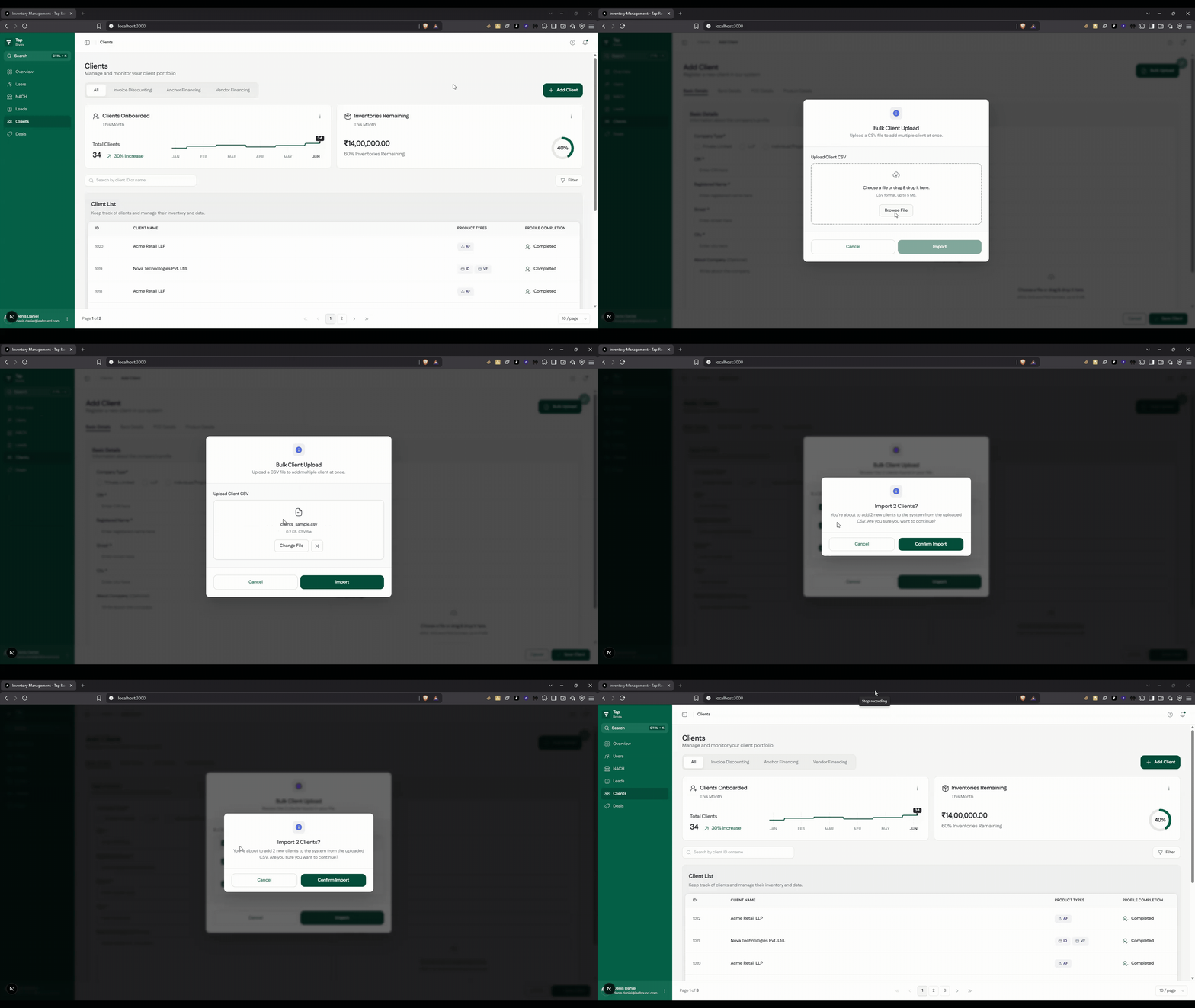
- Analysts filter the sheet to find complete clients that are not yet in Roots, and export them as a CSV.
- Analysts upload the CSV into Roots in bulk, so there is no re-typing.
- After upload, analysts mark those entries as done in the sheet to keep tracking in sync. (This was a known manual step, and we later automated it in the deal module.)
Key design decisions
- Bulk upload with a review step. Analysts can upload many records at once and review the imported data before saving. They can also remove any client they do not want to add yet.
- Make missing information easy to spot. Each client row clearly shows which fields are complete, missing, or invalid.
- Allow incomplete clients, but limit what they can do. Incomplete clients can still be added and worked on, but a deal cannot be created until required fields (like legal name and PAN) are complete.
- Validate before saving. PAN, GST, PIN code, and IFSC formats are checked during upload, so bad data is caught early.
Inventory
Problem: Inventory means the invoices which are given by the vendor which have not been paid for yet. We give debt based on those invoices. This is the main part of invoice discounting and it was the most complex flow in this project.
Analysts kept one inventory sheet for each client. They entered invoice details one by one and added a Google Drive link for each PDF. Matching each row to the right PDF was slow and easy to mess up. GST mismatches, invoice value mistakes, and wrong document links were common. Uploading about 50 invoices took 2 to 3 hours, which did not work as the company scaled.
Solution: We moved data entry closer to the source. The client fills a shared Google Sheet with invoice details and uploads the documents. The Analyst downloads the invoices, zips them, and uploads the CSV and ZIP together into Roots. The system matches the invoices to the right rows automatically. Uploading about 50 invoices now takes 5 to 10 minutes.
Error handling
- PDF name does not match or PDF is missing: the system blocks that row until it is fixed.
- Missing fields: the UI highlights what is missing.
- Incorrect or mismatched details: field checks catch issues (GST, invoice values, etc.).
After upload, invoices go to Pending Invoices. The Analyst Head reviews and verifies them before they move to live inventory. This adds a human check on top of the automated validation.
Documents
Problem: All client documents were stored in Google Drive. It worked at first, but over time it became hard to manage. Old files kept piling up, versions were difficult to track, and there was no clear way to share or view the right document for each order. Finding a file often meant searching through folders and hoping the names were correct.
Solution: Now every document is saved inside the client’s profile. Documents are automatically organized by client, so nothing gets mixed up. Uploading and updating is simple: choose the document type, upload the file, and you’re done. Instead of digging through Drive folders, Analysts can find everything in one clear place, which makes the process easier to maintain and more reliable for everyone downstream.
Outcomes
Faster inventory onboarding
- Before: 2–3 hours per ~50 invoices
- After: 5–10 minutes per ~50 invoices
- Result: ~93–97% reduction in upload turnaround time
Increased onboarding capacity
- Before: 2–3 clients/week (limited by manual re-entry)
- After: 8–10 clients/week
- Result: Throughput is now constrained by completeness of Sales inputs, not Analyst bandwidth.
Improved data accuracy
- Before: 6–7/10 client sheets had missing or incorrect data
- After: Only a small set needs attention at any time
- Result: PAN/GST/IFSC/PIN validation blocks bad data; incomplete profiles are visible and cannot create deals.
Self-serve visibility for management
- Before: Progress checks required asking the team (slow, disruptive, incomplete)
- After: Home + client KPI cards show onboarding progress, inventory utilization, and client financial health
- Result: Progress moved from “a conversation” to “a glance.”
Adoption
- 100% Analyst team adoption within the first week (no mandate)
- Overall manual effort reduced by ~80%; remaining manual steps (e.g., sheet status syncing) were later absorbed by newer modules (including Leads).
Reflections
This was one of my first major projects, and I kept improving it even after we launched. At first, everything felt overwhelming: the domain, the workflows, and the terms.
Here are the three main lessons I learned:
- Do the work like the user before designing. Spending half a day doing an Analyst’s real tasks taught me more than any requirements document.
- Build on what people already do. We kept the Google Form and matched the team’s “one sheet per company” habit. This made the change easy to adopt.
- Use guardrails that allow progress but prevent mistakes. We allowed incomplete clients to be added, but we blocked deal creation until key details were filled in. This balanced flexibility with data quality.